
A SECOND LIFE VACATION GETAWAY
PLAY / PAUSE
RCI | HOW TO'S
CLICK/TOUCH TO MAGNIFY
GUEST GIFT IN MAIN OFFICE & GIFT SHOP

ANIMATIONS - NOT JUST DECOR :)
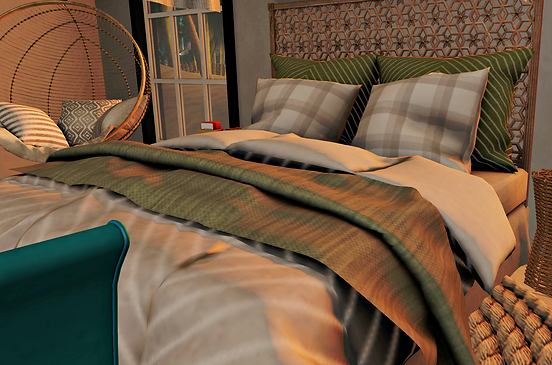
BEDS - DOUBLE ANIMATED
SIT TIP: PILLOWS (PG) DUVET (RUCKUS ADULT)
IT'S NOT MINE
SIT TO SHOWER

Pools @ Villas
Sit for Animations (multiple seats)

DOCK
SIT FOR ANIMATIONS (multiple seats)

DIVING BOARD
SIT FOR ANIMATION

SHORE ROCKS
SIT FOR ANIMATIONS (4 seats)

Villa Vanity/Sink
SIT FOR ANIMATIONS

POOL LADDER
SIT TO CLIMB

Roman Tub @ Villa Royal
Sit for Animations (4 seats)

WATER ACTIVITIES
Maoli Surf & Surboards

Maoli Wave | North & South
| Sit Menu: Pg up
| Paddle: Up arrow or Pg Dn
| Sit up: Down Arrow
| Steer: Right/Left arrow

HIGH DIVE TOWER & RAFT DOCK
| RAFT DOCK (multiple seats)
| SIT FOR ANIMATIONS
| HIGH DIVE
| USE TELEPORT ARROWS
| TOP UP ARROW TO RETURN
TO BUNGEE TOWER.
[Pu!se] Jet Ski
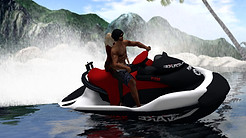
Need for Speed!
| Sit & Attach HUD
| Ride: in sim ONLY
| Throttle: Arrow up
| Steer: Arrow left/right
| 3-Gears: Dock, Cruise & Ski
| Ski Mode Power: Pg up/dn
OFF-SIM Jetski 'Dolphin'
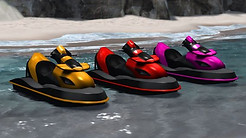
Need for Distance!
| Sit & Accept attachment
| Adjust: Pg up /Pg Dn
| Ride: in-and off-sim
| Move: Up Arrow
| Steer: Right/Left arrow
| Turbo: Up+Down keys
pressed simultaneously
SeaD00 Scuba Explore

Solo Exploration
| Pg Down to dive
| Pg Up to surface
| Arrow left/ right to steer
| Arrow up moves forward
| Arrow down moves backward
(4 speeds shown in chat)
2-Sit Hang Glider

Solo or Couples
| Pg Up to Ascend
| Pg Down to Descend
| Arrow right/left to steer
| Arrow Down to slow
| Arrow Up to accelerate
XTV

Synced Media!!!
| Each Person
|Click the camera icon
on viewer
| Click frame to power on
| Click 'Google' screen
| One Person
| Select 'TV Guide' from menu
| Decide & Select
|Movie
|Browser or
|Media Player


ALTERNATIVELY: Hover on camera icon and click 'More>>' for the below view and select list item: 'http://www.deadlyblogger.com'

8-Seat Skiff

Royal Isles Transport!
| Motor speed by sound
| Steer: Left/Right Arrow
| Tap Arrow up to Accelerate
| Hold Arrow up to Max speed
| Tap Arrow Dn to Slow
| Hold Arrow Dn to Stop
| Tap again to reverse
ATTACH/DETACH
For attachments not found in inventory, use these steps:
| Shortcut Ctrl+O for 'Appearance'.
| 'Wearing' tab > Temporary Attachment'
| Right click > Detach.
There are several Auto attachables on the land. Temporary attachments are meant to keep from cluttering your inventory.
GENERAL SWIMMING

There are aquatics surrounding the sim and areas designed to pull you in if you become close enough to it. SWIM HARDER or simply Page Up and away from these areas. It is to simulate water currents.
Safe areas are always mid-center point of the ocean floor.
If you are stuck, you can always teleport back to your Villa :)